Fly.io
Run OpenClaw on Fly.io with the open-source ControlClaw firewall as its proxy. Two Fly apps on one private network, and every request OpenClaw makes in the firewall's log.
On Fly.io the firewall is OpenClaw's proxy, not its only way out. OpenClaw's own requests go through it, get logged and follow its rules. But a shell command or a script that ignores the proxy goes straight to the internet, and OpenClaw can change its own proxy setting. A Fly app can't set its own packet filter, so nothing can close that gap here. To make the firewall the only way out, use a plain server or a Compose platform instead.
This guide runs two Fly apps: the ControlClaw firewall and OpenClaw. They talk over Fly's private network. The firewall is an app of its own, so later you can point more OpenClaw apps at it and see the traffic and rules of all of them in one panel.
What you need
- A Fly.io account and
flyctl, signed in withfly auth login. Both apps use a machine and a volume, which Fly bills by usage. - An API key for OpenClaw's model, such as Anthropic, OpenAI or OpenRouter.
The examples use the app names my-controlclaw and my-openclaw and the region fra. Fly app
names are global, so pick your own and replace them everywhere.
Part 1: the firewall
Create the app and its volume
In an empty folder:
fly apps create my-controlclaw
fly volumes create controlclaw_data --size 1 --region fra -a my-controlclaw
The volume keeps the firewall's certificate authority, its rules and its secrets across deploys.
Write fly.toml
app = "my-controlclaw"
primary_region = "fra"

[build]
  image = "ghcr.io/madarco/controlclaw-firewall:0.11.1"

[experimental]
  entrypoint = ["/sbin/tini", "-g", "--", "/bin/sh", "-c", "socat TCP6-LISTEN:8080,ipv6only=1,reuseaddr,fork TCP4:127.0.0.1:8080 & exec /bin/sh /usr/local/lib/controlclaw/entrypoint.sh"]

[env]
  LOCAL_PANEL_BIND = "0.0.0.0:8800"
  LOCAL_PANEL_INSECURE = "1"
  LOCAL_PANEL_URL = "https://my-controlclaw.fly.dev"
  LOCAL_PANEL_HOSTS = "my-controlclaw.fly.dev"

[http_service]
  internal_port = 8800
  force_https = true
  auto_stop_machines = "off"
  min_machines_running = 1

[[vm]]
  size = "shared-cpu-1x"
  memory = "1024mb"

[mounts]
  source = "controlclaw_data"
  destination = "/opt/controlclaw"
The panel listens on port 8800 and answers only under the app's fly.dev name. The firewall's
proxy listens on IPv4, and Fly's private network is IPv6 only. The entrypoint line starts a small
relay first, socat from the image, that takes IPv6 connections on port 8080 to the proxy.
Port 8080 isn't in http_service, so it isn't public. Every app in your Fly organization can reach
it over the private network.
Deploy
fly deploy --ha=false--ha=false starts one machine. The firewall keeps its state on one volume, so it runs as one
machine.
Set the panel's password
Find the setup token in the firewall's log:
fly logs -a my-controlclaw --no-tail | grep "no admin yet"Open https://my-controlclaw.fly.dev, paste the token and set the admin password right away:
until you do, anyone who can read the log can set it. The next two steps, a model key and a
pairing code, are optional. Skip them.
Copy the firewall's certificate
The firewall reads OpenClaw's encrypted traffic, so OpenClaw has to trust the firewall's certificate authority. Save it to a file:
fly ssh console -a my-controlclaw -C "cat /opt/controlclaw/mitm/ca/ca-cert.pem" \
  | sed -n '/BEGIN CERTIFICATE/,/END CERTIFICATE/p' > controlclaw-ca.pem
This is the public certificate only; the key stays on the firewall.
Part 2: OpenClaw
Create the app, its volume and its secrets
In a second folder, with controlclaw-ca.pem from Part 1:
fly apps create my-openclaw
fly volumes create openclaw_data --size 1 --region fra -a my-openclaw
fly secrets set -a my-openclaw --stage \
  OPENCLAW_GATEWAY_TOKEN="$(openssl rand -hex 32)" \
  CONTROLCLAW_CA="$(cat controlclaw-ca.pem)"
Keep the gateway token: you need it to open the Control UI. Read it back later with
fly ssh console -a my-openclaw -C "printenv OPENCLAW_GATEWAY_TOKEN".
Write fly.toml
app = "my-openclaw"
primary_region = "fra"

[build]
  image = "ghcr.io/openclaw/openclaw:2026.11.5"

[env]
  HTTP_PROXY = "http://my-controlclaw.internal:8080"
  HTTPS_PROXY = "http://my-controlclaw.internal:8080"
  http_proxy = "http://my-controlclaw.internal:8080"
  https_proxy = "http://my-controlclaw.internal:8080"
  NO_PROXY = "localhost,127.0.0.1,::1"
  no_proxy = "localhost,127.0.0.1,::1"
  NODE_USE_ENV_PROXY = "1"
  OPENCLAW_PROXY_URL = "http://my-controlclaw.internal:8080"
  NODE_EXTRA_CA_CERTS = "/tmp/controlclaw-ca.crt"
  OPENCLAW_STATE_DIR = "/data"
  OPENCLAW_GATEWAY_PORT = "3000"
  NODE_OPTIONS = "--max-old-space-size=1536"
  OPENCLAW_CONFIG_SEED = '{"gateway":{"trustedProxies":["172.16.0.0/12"],"controlUi":{"allowedOrigins":["https://my-openclaw.fly.dev"]}}}'

[processes]
  app = "sh -c 'printf \"%s\\n\" \"$CONTROLCLAW_CA\" > /tmp/controlclaw-ca.crt; [ -f /data/openclaw.json ] || printf %s \"$OPENCLAW_CONFIG_SEED\" > /data/openclaw.json; exec node dist/index.js gateway --allow-unconfigured --port 3000 --bind lan'"

[http_service]
  internal_port = 3000
  force_https = true
  auto_stop_machines = "off"
  min_machines_running = 1
  processes = ["app"]

[[vm]]
  size = "shared-cpu-2x"
  memory = "2048mb"

[mounts]
  source = "openclaw_data"
  destination = "/data"
What it does:
- The proxy variables send OpenClaw's requests through the firewall, by its private name
my-controlclaw.internal. - The start command writes the firewall's certificate from the
CONTROLCLAW_CAsecret, andNODE_EXTRA_CA_CERTSmakes OpenClaw trust it. OPENCLAW_CONFIG_SEEDis OpenClaw's first config, written only if there's none yet. Fly's proxy reaches the app from172.16.0.0/12; without these two settings, the Control UI refuses every request withproxy_attribution_required.- The machine has 2 GB of memory, as in OpenClaw's own Fly.io guide: 512 MB is too little.
Deploy
fly deploy --ha=false
fly logs -a my-openclaw
The log ends with [gateway] ready, and an earlier line says
routing process HTTP traffic through external proxy http://my-controlclaw.internal:8080.
Check the traffic
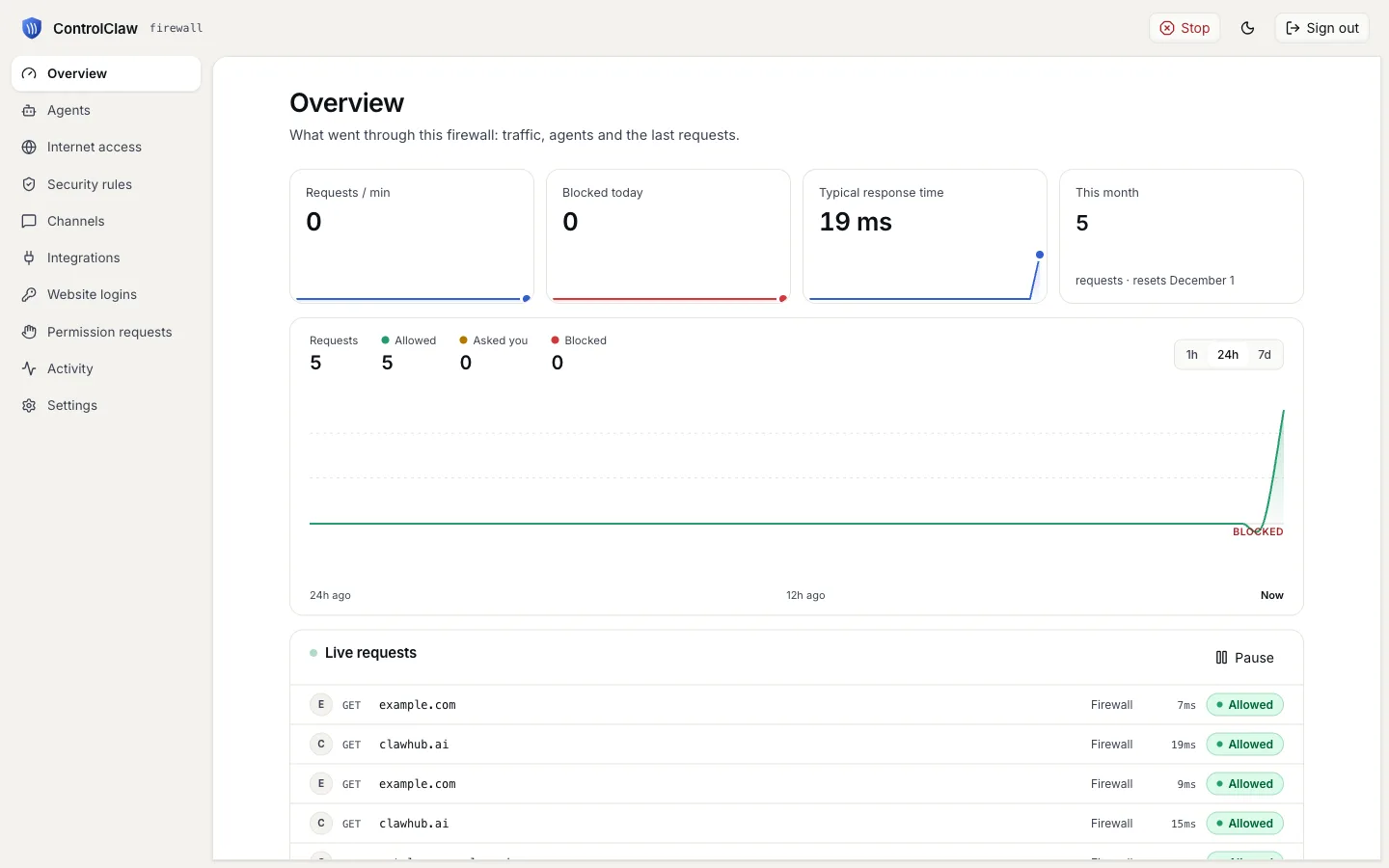
Send a request through the firewall from OpenClaw's machine:
fly ssh console -a my-openclaw -C "node -e \"fetch('https://example.com').then(r => console.log(r.status))\""It prints 200, and the request shows in the panel with OpenClaw's own requests.
Open the Control UI
Open https://my-openclaw.fly.dev/#token=<gateway_token>. OpenClaw asks you to approve this
browser once. Keep the tab open, and run the command it shows, with node dist/index.js in place
of openclaw:
fly ssh console -a my-openclaw -C "node dist/index.js devices approve <request_id>"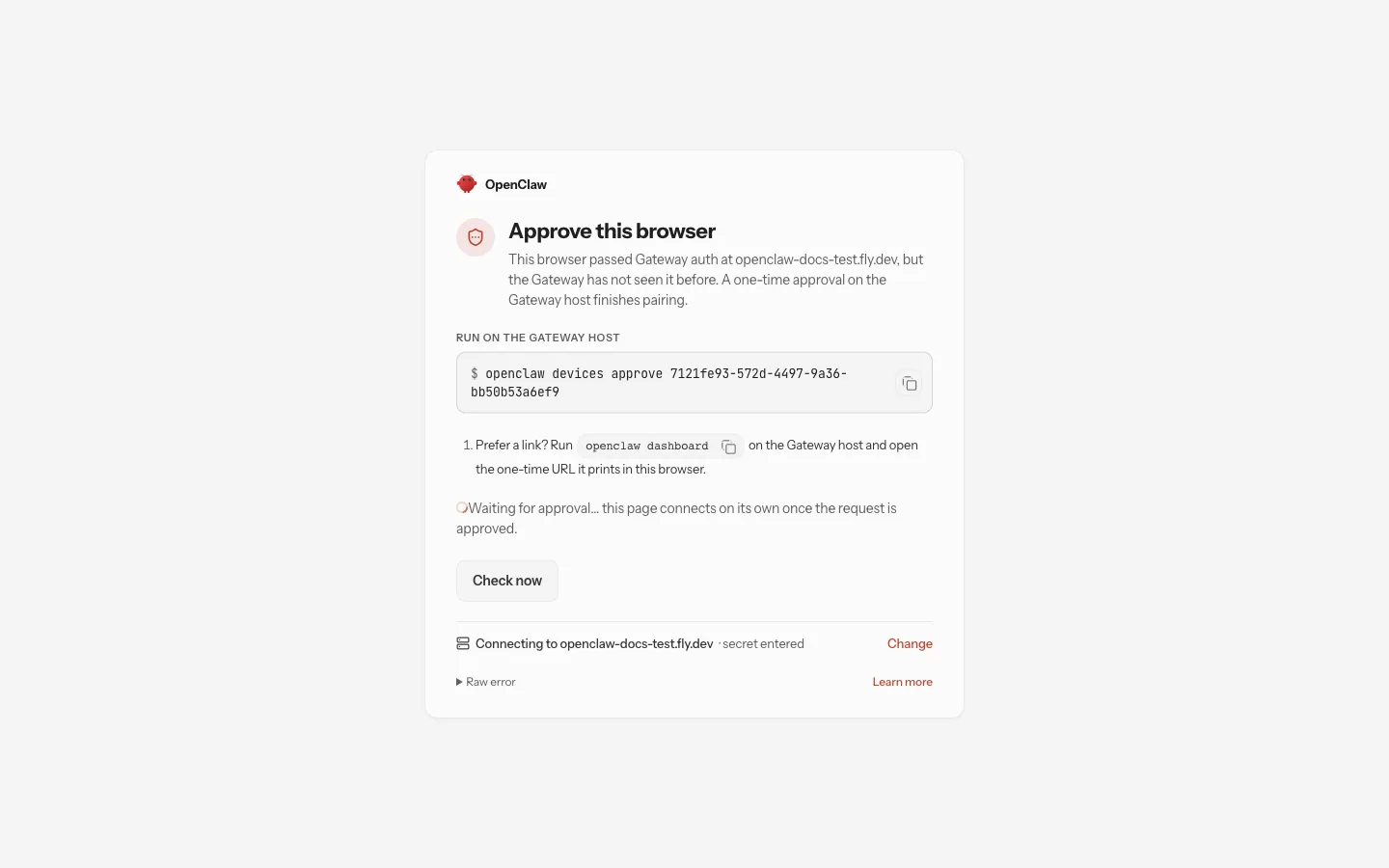
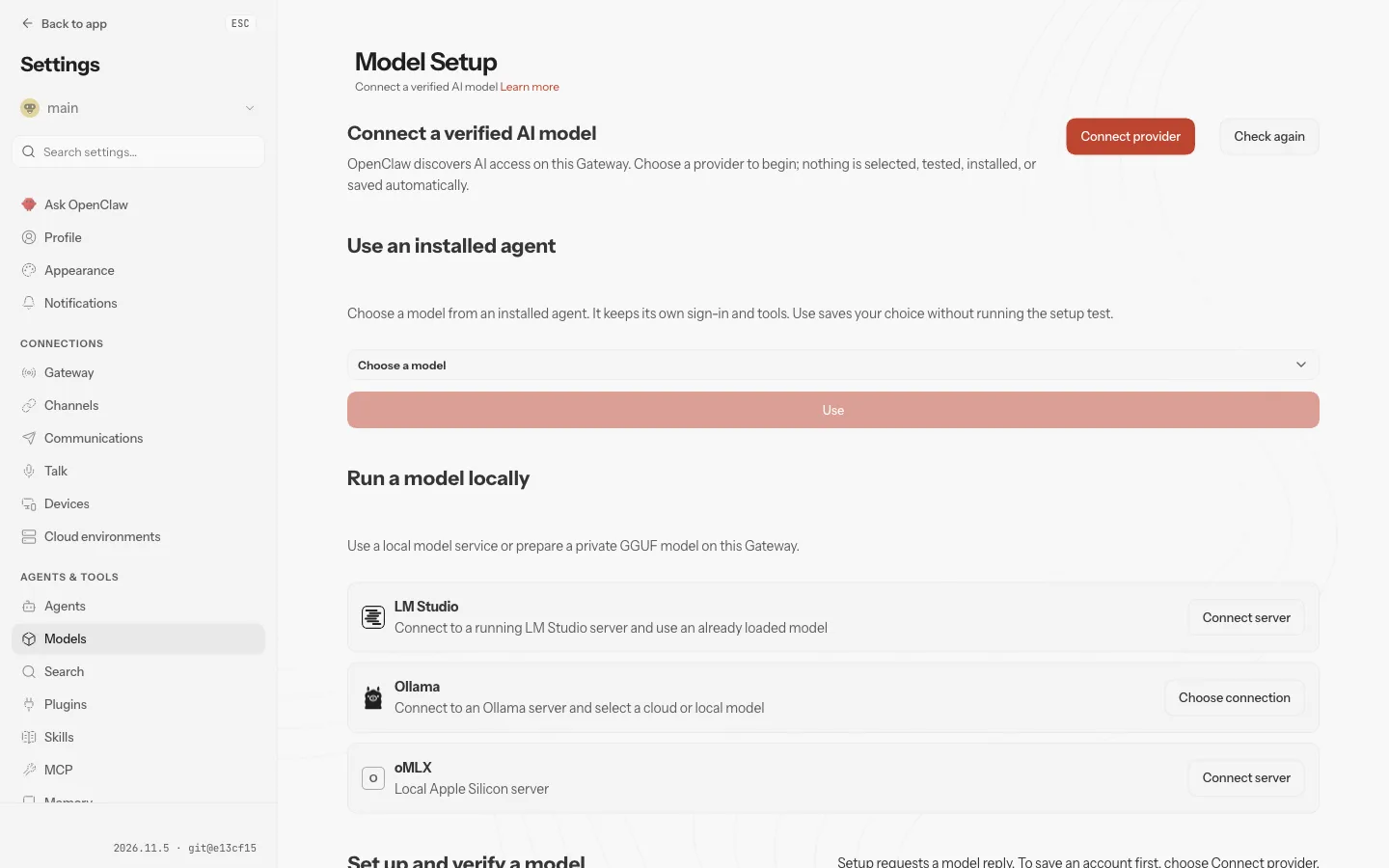
The Control UI then opens on Model Setup. Choose your provider and add your key.
Lock it down
A new firewall allows every site and logs it. In the panel, open Internet access and set
Every other site to Block, then allow your model provider's host, for example
api.anthropic.com. That rule holds for OpenClaw's own requests. A program that ignores the proxy
isn't covered, as the warning at the top says.
More agents, one firewall
To add another OpenClaw, repeat Part 2 with a new app name, volume and token, and the same proxy variables and certificate. The panel then shows the traffic of both, and one set of rules applies to both.
Remove it
fly apps destroy my-openclaw
fly apps destroy my-controlclaw
That deletes both apps and their volumes, the firewall's certificate authority with them.
Railway
Run OpenClaw on Railway with the open-source ControlClaw firewall as its proxy. Two services, a private network, and every request OpenClaw makes in the firewall's log.
Render
Run OpenClaw on Render with the open-source ControlClaw firewall as its proxy. Two web services on one private network, and every request OpenClaw makes in the firewall's log.