Confirmation codes
Changes that could weaken your security need a 6-digit code. Your firewall sends it to you on your own channel, so nobody else can make the change.
Once your first channel is connected and someone is approved on it, changes that could weaken your security need a 6-digit code. Your firewall makes the code and sends it to you on that channel. You type it in the console, and only then does the firewall apply the change.
Why
Your agents and your firewall keep your data on encrypted disks, and the firewall holds your keys and tokens. The code makes sure nobody else can change them, ControlClaw's staff included.
ControlClaw's servers can ask for a change, but they cannot make the code, so they cannot confirm one. They cannot disguise a change either: the summary in the message is written by your firewall, not by ControlClaw.
Which changes need a code
- Channels: a new or replaced token, approving another person, moving a connection to another agent, removing one, linking WhatsApp.
- Message rules: every change, including ones that make a rule stricter.
- Email rules: adding someone who can email your agents, or whom they can email. Removing someone applies at once.
- Integrations rules: a change that lets more through.
- AI model keys, firewall updates, support access and connecting a Google account.
Changes that cannot weaken your security, such as resizing an agent, need no code.
How it works
Start the change
Make the change in the console as usual. A dialog asks for the code.
Read the message
Your firewall sends a one-line summary of the change and the code. If it does not match what you asked for, do not enter the code.
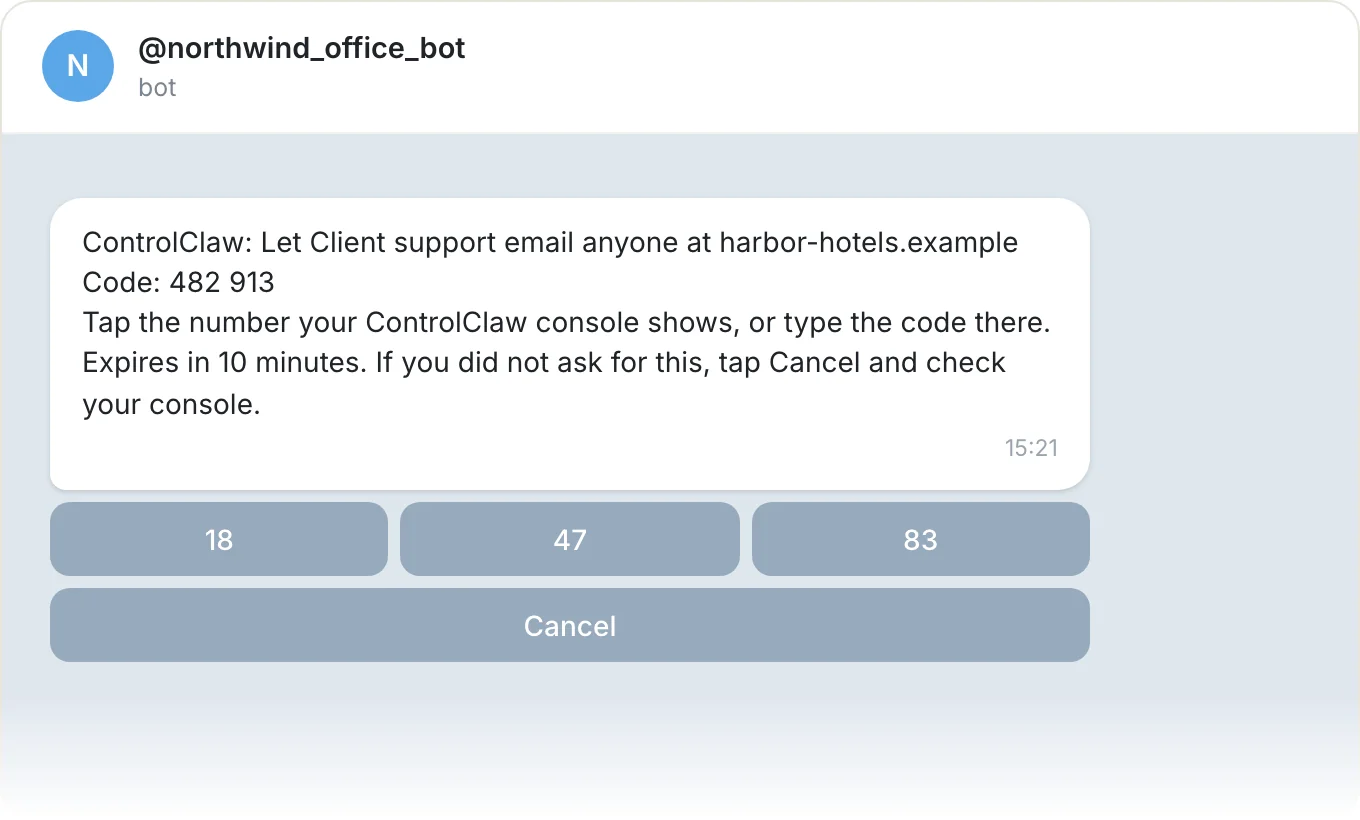
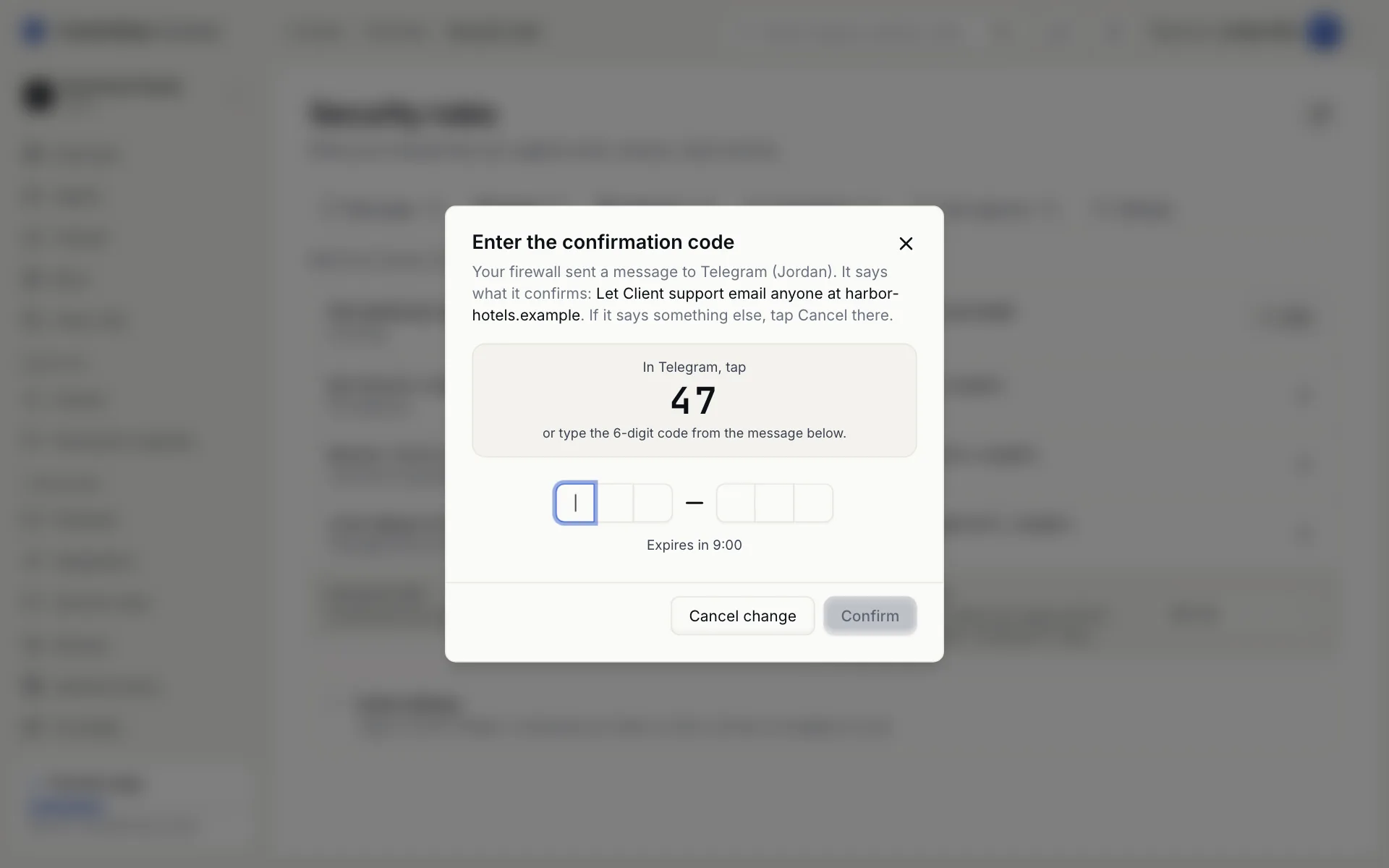
On Telegram, the message also has three number buttons and Cancel. The dialog in the console shows a two-digit number: tap the button with that number, and the change is confirmed. Tapping a different number counts as a wrong code. Cancel cancels the change.
Good to know
- A code expires after 10 minutes and allows 5 tries.
- Your organization has one change waiting at a time. The console shows it and lets you cancel it.
- The code is delivered through your agent's own channel, so the agent has to be running. If it is stopped, you see "Could not reach you on any connected channel". Start it and try again.
- The Confirmation codes tab on the Firewall page lists everyone who gets codes. Removing someone needs a code while anyone else is on the list.
A new organization has nobody to send a code to, so its first changes apply at once. Once you approve the first person on a channel, codes are required. If you remove the last person from the list, your organization goes back to that first state.
The firewall
Every agent's traffic goes through your organization's firewall. It applies your rules, holds risky actions for your approval and keeps the logs.
Channels
How you talk to an agent on Telegram, Slack, WhatsApp, email or team chat, how to connect your first channel, and who is allowed to message it.