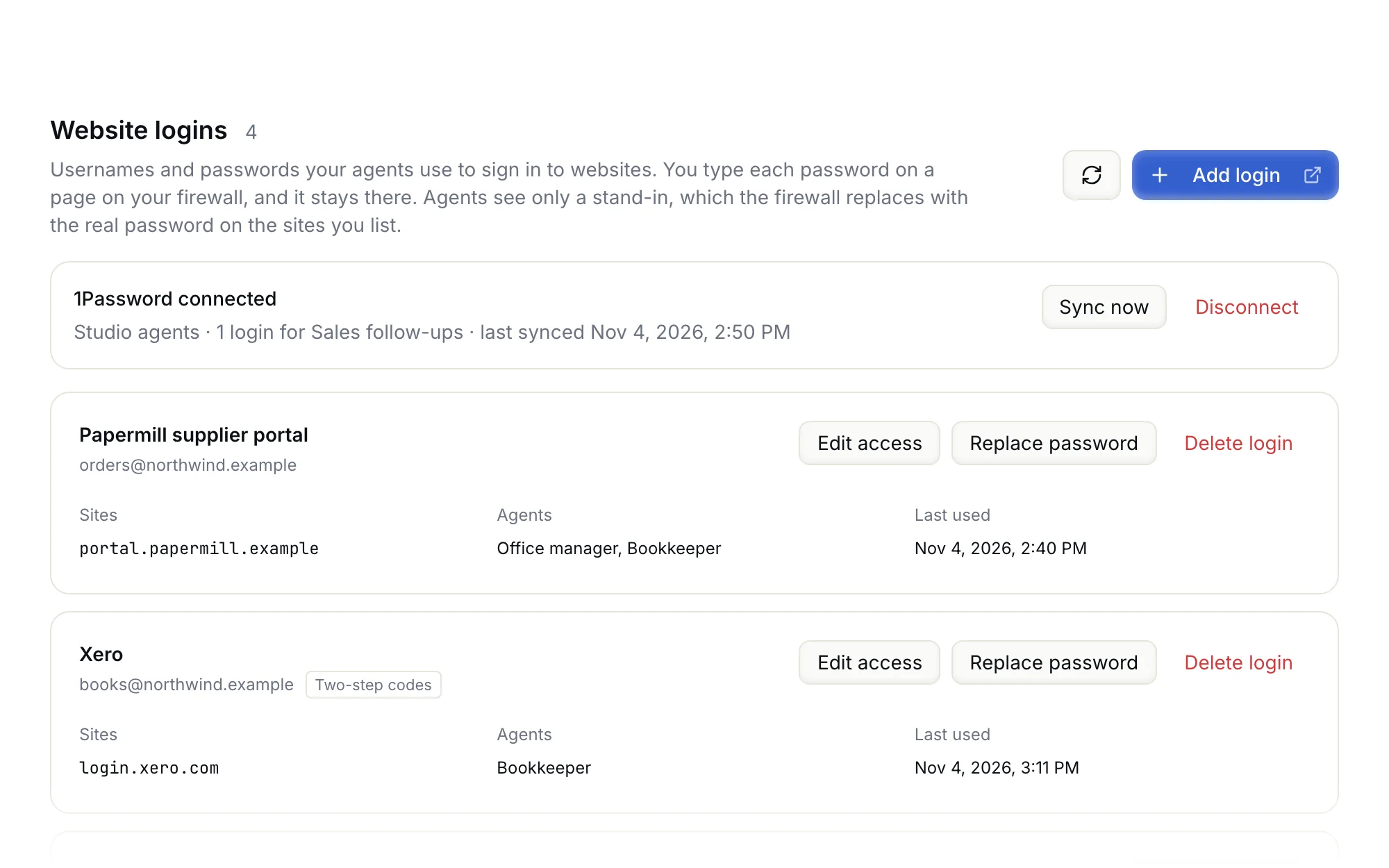
Your agents do the work. You set the rules.
All your agents' traffic goes through a firewall on a server of your own. It checks messages, websites and app actions against your rules, and asks a person before risky steps. Your passwords stay on it, where the agents cannot read them.
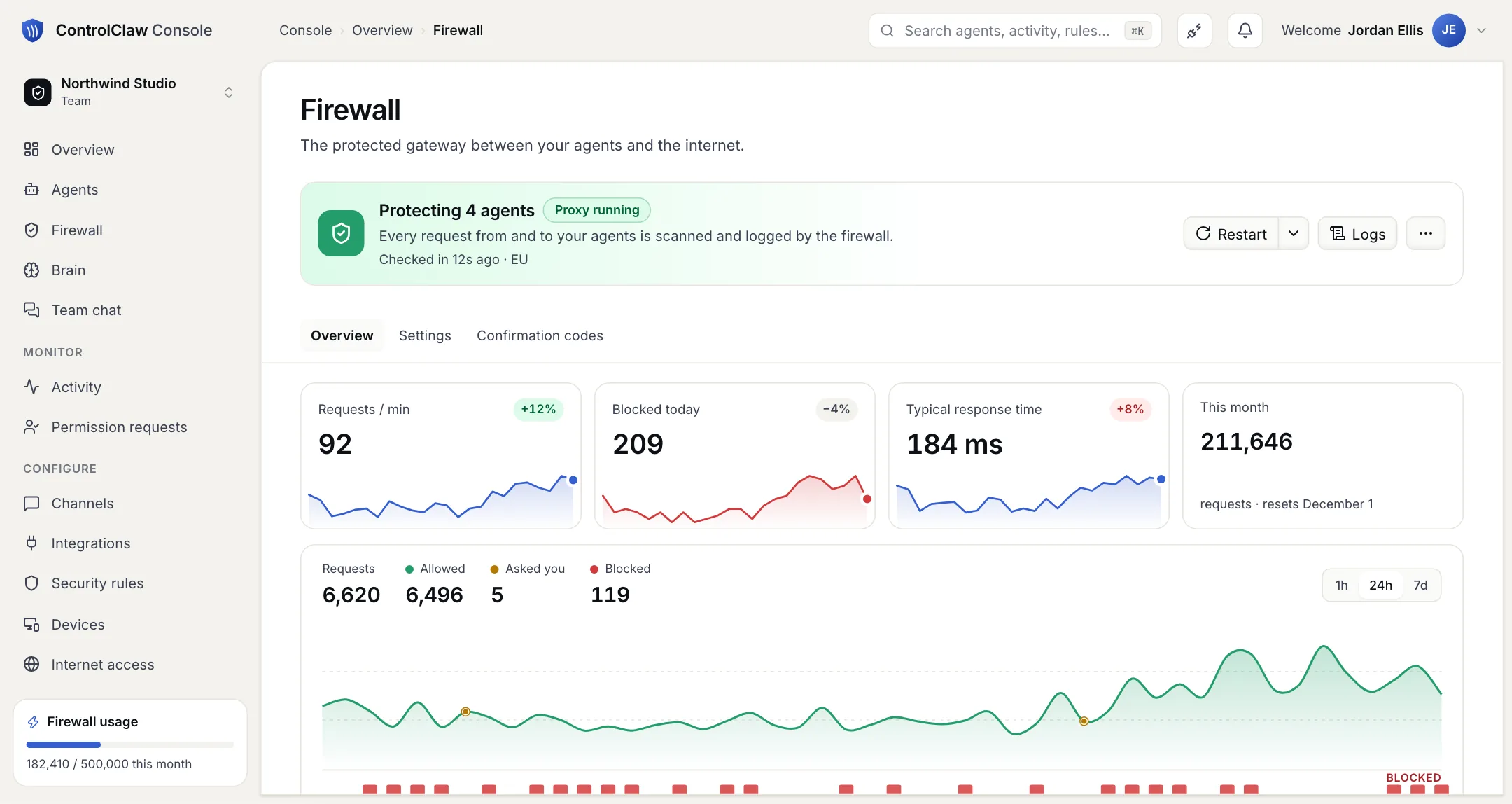
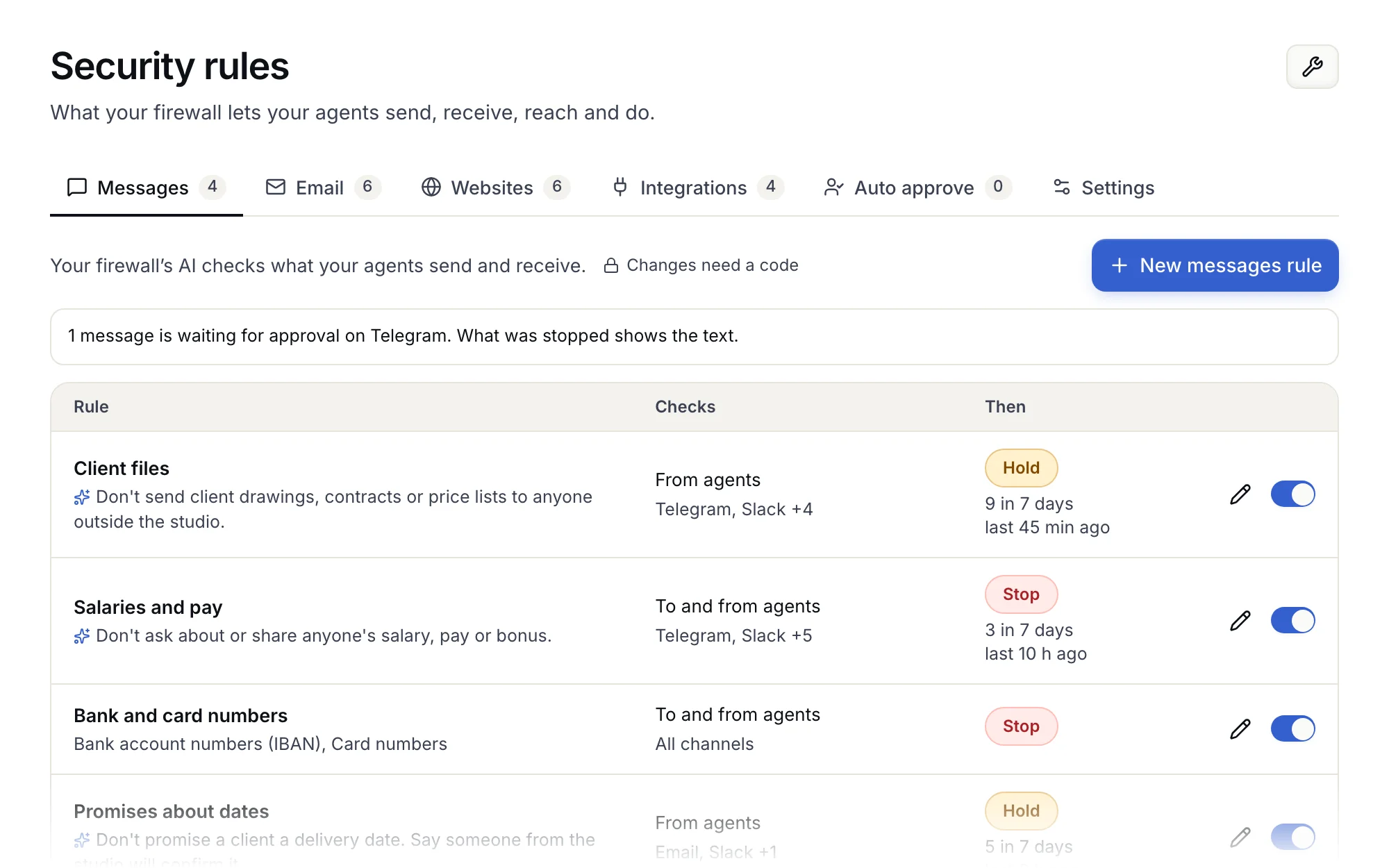
Write a rule as a sentence.
The firewall's AI reads each message against your rules. It checks chat, email, websites, team chat, meetings, phone calls and app actions. It reads what your agents send and what they receive.
Rules in plain words
Write "Don't send client drawings or price lists outside the studio", and the firewall checks every message against it. A rule can stop a message, hold it until someone approves it, or only record it. One rule is always on. It stops passwords and keys from leaving.
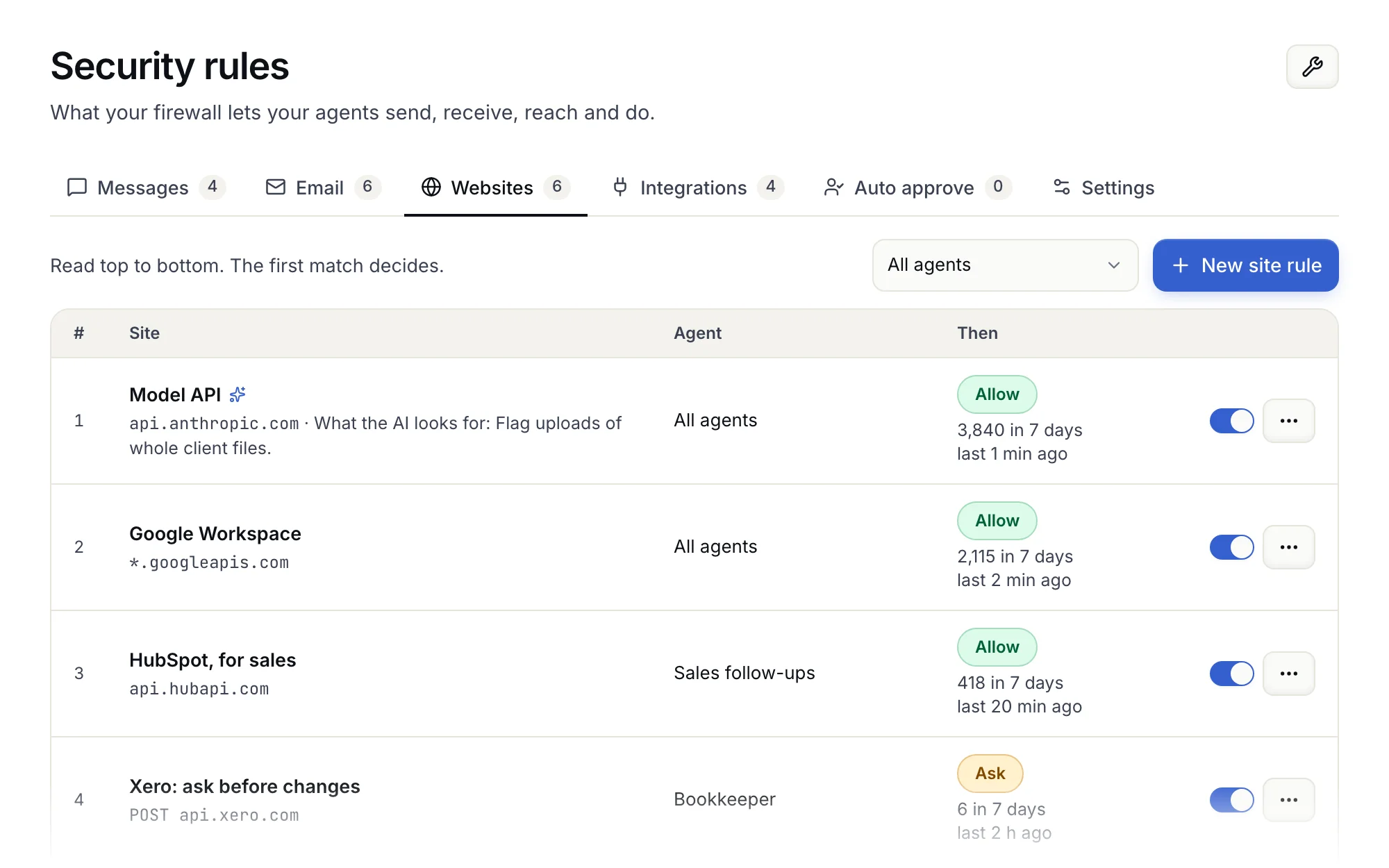
Websites, one by one
Choose which websites each agent may reach. A site can be allowed, blocked, or set to ask a person first. The firewall logs every request, so you can see where your agents go.
Risky steps wait for a person.
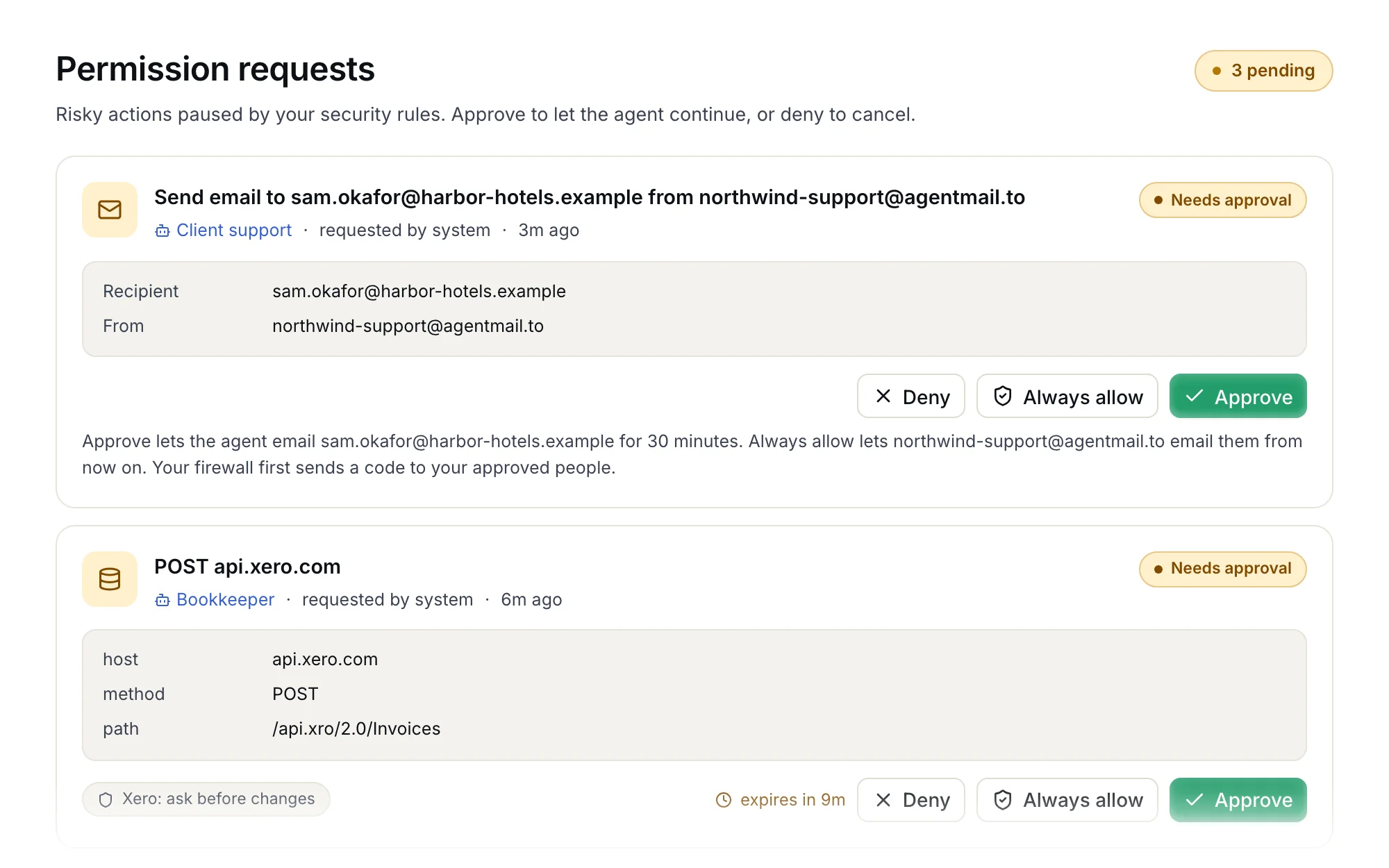
When a rule says "ask", the agent stops and waits for you. Nothing happens until someone approves.
One list of requests
A new email address, a change in an app, a website the agent wants to reach. Each one waits on the Permission requests page. Approve it once, allow it from now on, or deny it. Messages a rule held come to you on Telegram, with Send and Don't send buttons.
A code before rules get looser
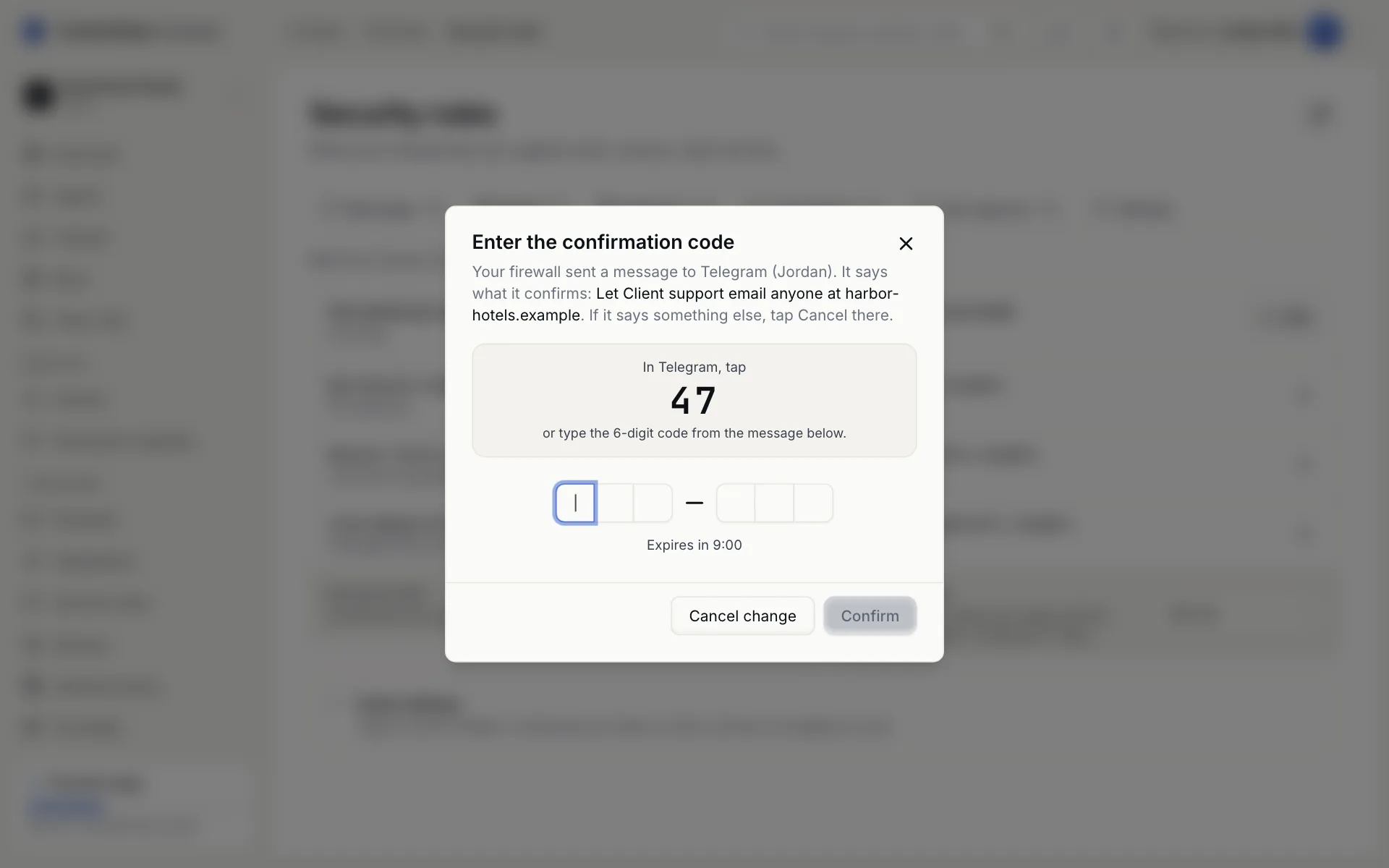
Changing a message rule, or loosening an email or app rule, needs a 6-digit code. Your firewall sends it to an approved person, on Telegram or another channel you connected. Someone who gets into the console cannot loosen those rules alone, and neither can ControlClaw.
Everything is on record
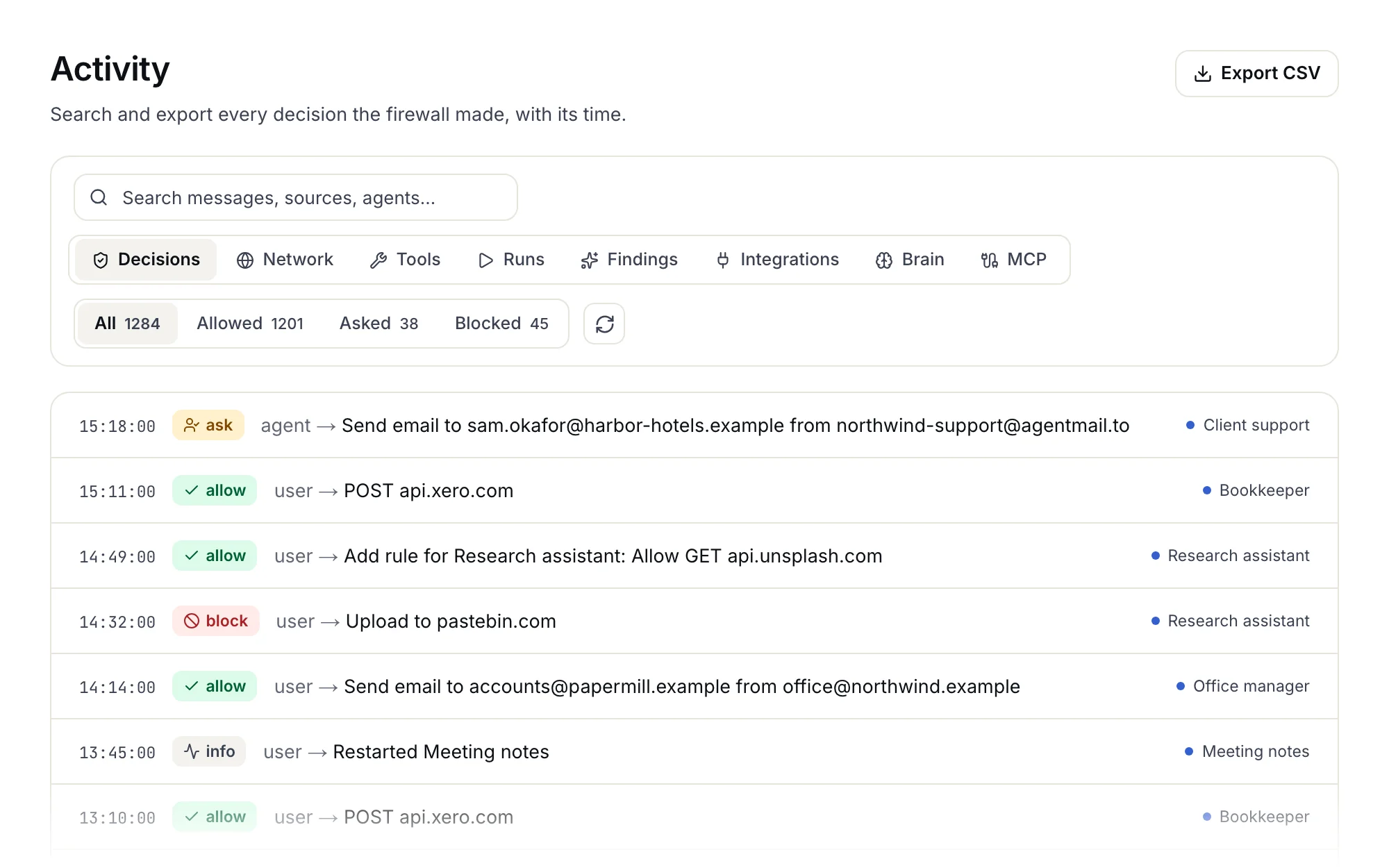
The Activity page lists each decision, with its time and agent. You see what was approved, asked or blocked, and what the firewall's AI flagged. Search it, or download it as a CSV file.
Agents sign in without the password.
Each agent has its own Chrome browser, and you can watch it live. When the agent signs in to a website, it types a stand-in. The firewall puts in the real password, and only on the sites you chose.
Website logins
You type each password once, on a page your firewall serves, and it stays on the firewall. You choose which agents may use each login. Bring logins from 1Password, Bitwarden or a Chrome export, and add the codes for two-step sign-in.